



































How to Implement a Warehouse Barcode System: A 5-Step Guide



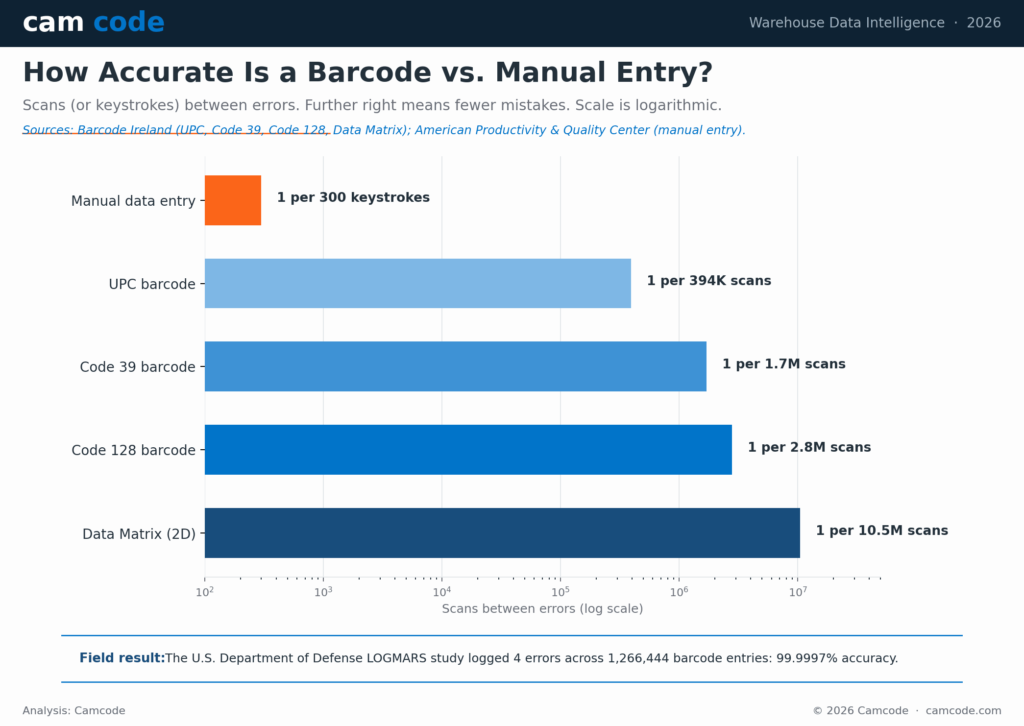
A barcode scan fails about once in every 2.8 million reads, while manual data entry slips once per 300 keystrokes. That accuracy gap is why a warehouse barcode system has become the default way to track inventory.
A warehouse barcode system assigns a scannable barcode label to every location, rack, pallet, container and item, then links each label to a record in warehouse management system (WMS) software. A worker scans the label with a handheld or mobile computer, and the system updates quantity, location and status in real time.
This guide explains what a warehouse barcode system is, the five parts it needs, what it costs, which scanners and labels to choose and a proven 5-step plan to implement it.
A warehouse barcode system is an inventory management method that replaces manual clipboards and spreadsheets with scannable barcode labels.
Here is how it works: every location, rack, pallet, container and item gets a unique barcode label linked to item details such as quantity and location in warehouse management system (WMS) software. A worker scans the label with a handheld scanner or mobile computer, and the system updates the record in real time.
A complete warehouse barcode system combines five core components: barcode labels placed on bins, shelves, racks, pallets and packaging; a label printer (such as an industrial thermal printer) to produce them on demand; scanning devices including ruggedized handheld scanners, Android mobile computers and wearable scanners; a wireless network that carries each scan to the database in real time; and the WMS or inventory software that stores the data and updates stock the moment a label is scanned.
Efficiency in a warehouse requires moving bulk containers and individual products smoothly through several unique steps. Using spreadsheets and manual data entry to perform inventory counts and other activities can lead to errors and prevent staff from responding to changes quickly.
Warehouse barcoding allows you to tag each warehouse location (using floor labels or hanging labels), rack, pallet and container with a label that can be easily scanned at any time. This is useful for performing semi-automated cycle counts and transferring inventory between departments or locations.
In addition to automated scanning, barcodes provide a few unique benefits that are important for warehouse operations:
The use of a warehouse barcoding system also makes it possible to develop a perpetual inventory control system by monitoring real-time data and using a centralized warehouse management system. These software platforms also allow you to link important information, such as product size and weight, to each unique barcode.
A warehouse barcode system pays back through accuracy and speed. Barcode scanning reduces data-entry errors from about one per 300 manual keystrokes to roughly one per 2.8 million scans for a Code 128 label. The U.S. Department of Defense LOGMARS study recorded just four errors across 1,266,444 barcode entries, an accuracy of 99.9997%.
Linked to a WMS, the same scans feed key performance indicators such as inventory turnover and safety-stock levels, so managers see problems on the floor in real time rather than at the next manual count.
When it comes to implementing a warehouse barcode system, the first step should start with an initial plan. This will not only help prevent future issues but will also ensure compatibility between the different components of the barcode system. The following steps are a good starting point when creating your barcode labeling plan.
It is helpful to make a list of all existing and potential SKUs and variants for the warehouse. In many cases, it will be possible to utilize the manufacturer’s barcode for a particular item and copy this into your system. Every item should have a unique barcode number and storage location assigned, and a process should be in place to review and scan items during arrival and shipment.
Deciding where to place barcodes is an important decision that is much easier after reviewing the layout of the warehouse racks, shelving and transit routes in the facility. Scanning performed by warehouse staff will need to be done from the ground level, so it is important to decide how to handle items that are stored on elevated racks. For help choosing rack and shelving formats, see our guide to warehouse storage systems.
For this inventory, you can either invest in long-range scanners that have an extended range or consider placing duplicate product barcodes at ground level. This is the perfect time to review the flow of inventory through the warehouse and determine the best way to mark areas such as cold storage racks, aisles, interior docks and outdoor docking areas.
Many warehouses handle bulk containers including totes, pallets and intermediate bulk containers (IBCs). If a warehouse also does fulfillment, these bulk containers may be broken down and individual items placed in inventory.
It is important to review the barcodes on these packages to ensure that it is easy to differentiate between bulk containers and individual items. For warehouses that work closely with vendors and retailers, it may also be helpful to review barcode symbologies to align the scanning systems across the supply chain.
If the warehouse is already in operation, there will be a number of different processes already in place. The true value of a warehouse barcode system is improving efficiency, and reviewing your existing procedures can help you identify which steps can be replaced with barcodes.
Getting input from staff and working together on the solution is also a great way to facilitate buy-in and help get everyone on board. This is also a crucial point where you should review your existing warehouse control system and software platforms.
After barcodes are established, they can be easily scanned with additional hardware that is attached to a centralized software platform. The most popular inventory and asset management platforms used by warehouses are Warehouse Management Systems (WMS), Computerized Maintenance Management Systems (CMMS) and Enterprise Asset Management Systems (EAM).
For a side-by-side look at platforms, see our guide to the top warehouse management companies.
The shift to scanning is part of a broader modernization push. As Zebra’s Mark Wheeler put it:
“IT and operations decision-makers are prepared to meet this heightened demand by taking an incremental approach to modernizing their warehouse operations, in which they will first work to improve individual and team productivity while achieving workflow conformity.”
Mark Wheeler, Director of Supply Chain Solutions, Zebra Technologies. Zebra Warehousing Vision Study.
A warehouse barcode system is the first, lowest-risk layer of exactly that modernization. If a software platform is already in place, you should check the requirements to determine which barcode symbologies and barcode scanners are compatible.
This is also a good time to determine your barcode scanning needs and which hardware will be used throughout the warehouse. Scanners can be purchased as computer-attached, mobile-attached or wireless. Some scanners may have multiple connection methods integrated into a single piece of hardware.
It is also important to select scanners with an adequate scanning distance to reach the desired barcode tagging locations, and to review the charging method, battery life and whether you need a ruggedized unit for more demanding applications.
The best barcode scanner for a warehouse depends on scan distance and environment.
For cold storage or wet areas, choose a ruggedized scanner with an IP65 rating. Connection options include corded USB, Bluetooth and Wi-Fi, so match the scanner radio to your wireless network and your WMS.
After checking compatibility with your scanning hardware and centralized software system, you can choose a specific design for your barcode labels. Barcode designs are either one-dimensional (1D) or two-dimensional (2D).
A 1D barcode uses vertical lines of varying widths to encode data that is either numeric (numbers only) or alpha-numeric (numbers and letters). The 2D barcode design, such as the popular QR code, uses boxes to encode the data.
The most important consideration when selecting barcode labels is to choose a coding option that is logical and as simple as possible. Since many warehouses handle retail products, these are a few common barcode symbologies they may encounter:
Most warehouses will likely adopt a barcode style similar to the UPC code. For locations that process retail products, it may also be useful to register with GS1, the global organization that standardizes barcodes used among retailers, manufacturers and suppliers.
Part of the benefit of aligning with GS1 is that they maintain regulations to standardize barcodes among the millions of businesses that use them.
It is important to choose a barcode label design that matches well with the target applications within the warehouse. In many cases, a combination of different designs will be necessary to accommodate different physical environments, locations and attachment methods.
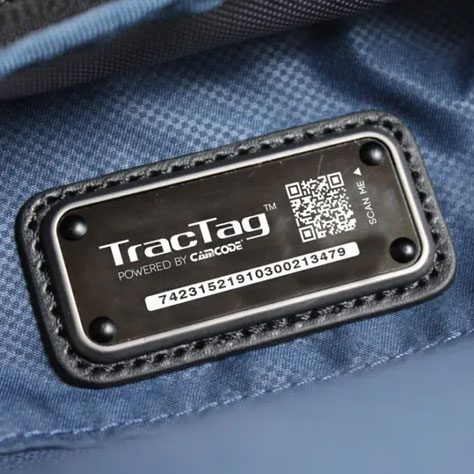
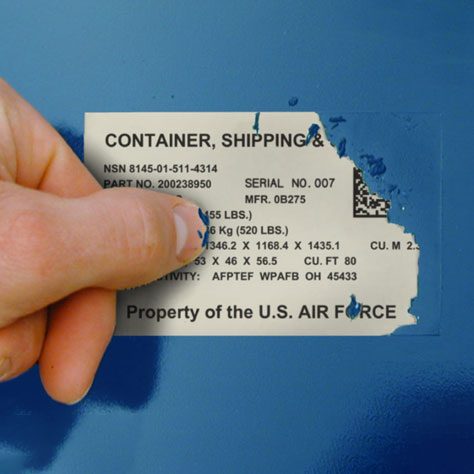
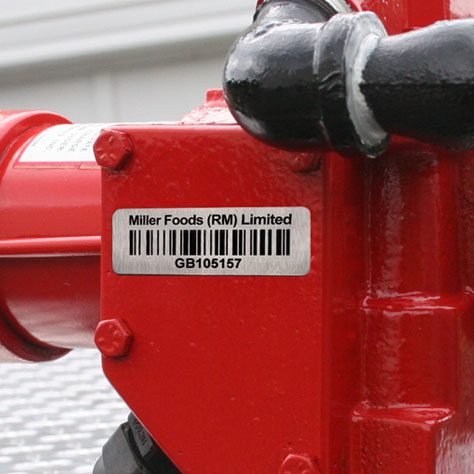
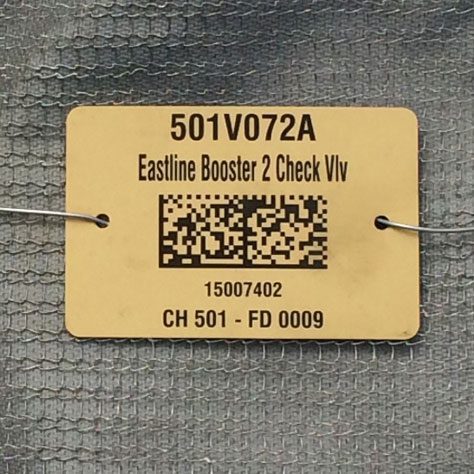
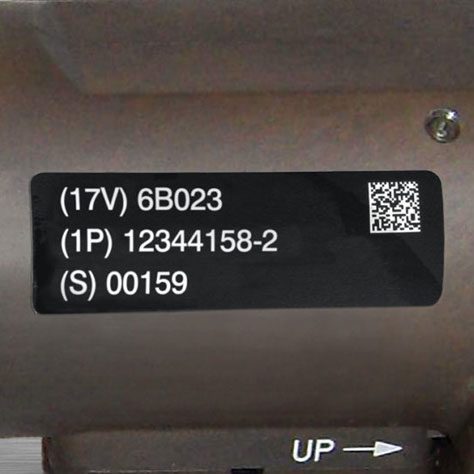
Some of the most common labels chosen for use in a warehouse are:
In addition to the applications above, it is also possible to customize a barcode label based on a few other factors. These are the final considerations to make before ordering an appropriate quantity of barcode labels:
These general parameters should be sufficient for the majority of common warehouse applications. For more unique and niche applications, it can be helpful to work closely with the label manufacturer who can provide specific recommendations.
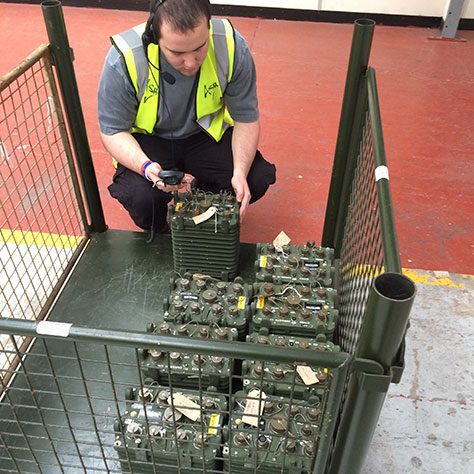
After barcode labels are fabricated, it is important that you have processes in place to manage the new system. This includes procedures for applying labels, updating information in the software system and scanning items. Careful consideration should be made for the placement of the barcode label on each item to ensure that it is not easily obscured and can be easily scanned.
Using barcodes with a centralized WMS also allows employees and management to view real-time data from throughout the facility. This digital system is an excellent resource for tracking key performance indicators (KPIs) for important activities such as safety stock levels and inventory turnover.
With targets established, it is possible to set clear priorities for the entire warehouse team, more easily measure results and conduct effective training sessions for everyone involved with the new workflows.
Warehouse management should also establish a regular schedule to review warehouse data. This can help identify problems on the warehouse floor and work out any issues that may arise in the first few months of transition.
A warehouse barcode system costs roughly $1,000 to $10,000 for a small operation and more for a large multi-site facility, depending on label volume, hardware and software.
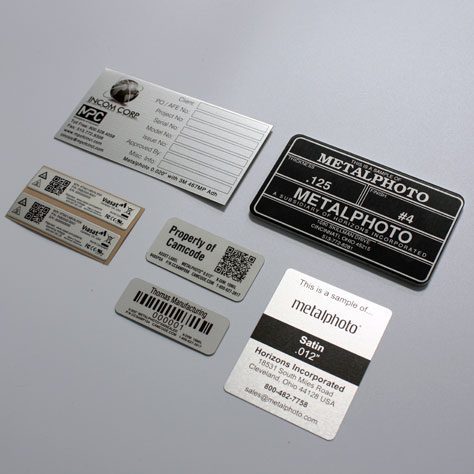
Barcode labels range from a few cents for paper tags to more for Metalphoto aluminum rack labels rated for decades of service.
A handheld scanner runs about $200 to $2,500, an industrial label printer about $300 to $3,000 and WMS software is usually priced per user per month.
Because the average data-entry operator makes one error per 300 keystrokes while a barcode scan fails roughly once per 2.8 million reads, most warehouses recover the cost through fewer mis-picks and lower audit labor. Use the calculator below to estimate payback for your own volumes.
camcode
Estimate the annual labor savings and error reduction a barcode system can deliver in your warehouse. Enter your own numbers. Every result updates live and is an estimate based on your inputs and the published accuracy benchmarks cited below.
Labor savings = transactions/day × 313 working days × seconds saved ÷ 3,600 × hourly wage. Error savings = transactions/day × 313 × manual error rate × cost per error × 94% error reduction. Payback = one-time cost ÷ total annual savings.
The 94% error-reduction factor is conservative. Manual data entry averages about 1 error per 300 keystrokes, while a Code 128 barcode scan fails roughly once per 2.8 million scans. The U.S. Department of Defense LOGMARS study recorded four errors in 1,266,444 barcode entries (99.9997% accuracy). 313 working days assumes a six-day operating week.
Estimates are directional and depend on your inputs. Accuracy benchmarks: BarcodeFAQ, Barcode Ireland (Code 128, LOGMARS). Tool by Camcode · camcode.com
With proper planning, it is possible to implement a barcode system in any warehouse that adds significant value to the operation. As you can see from this guide, there are several moving parts that must be configured and optimized for the needs of each facility.
By reducing manual data entry, a warehouse barcode system cuts mis-picks and audit labor. In one U.S. Department of Defense LOGMARS study, barcode scanning produced just four errors across 1,266,444 entries, an accuracy of 99.9997%. Over time, automating key steps in the inventory flow leads to lower operational cost and a significant return on investment.
Questions about a warehouse labeling project? Contact the Camcode team and our sales engineers can help.
Barcoding in a warehouse is a system in which locations and storage infrastructure are labeled with tags, signs and labels to enable associates to navigate to the appropriate locations easily and streamline processes such as inventory control and putaway.
Warehouse barcoding is typically used in conjunction with a location numbering system.
To set up a barcode system for your warehouse, you should first identify all the warehouse locations and storage infrastructure you want to label. Then, determine the types of locations you need to identify and select the appropriate warehouse signage or warehouse barcode labels for each physical location.
Work with a warehouse label manufacturer like Camcode for assistance with selecting the barcode symbology, design, and format for your labels.
After your warehouse barcoding labels are created, work through the warehouse strategically to tag locations with the appropriate labels and populate your database or CMMS with the associated location information.
There are many benefits of warehouse barcoding. Warehouse barcode labels and signs make the facility easier to navigate for associates. Because it’s easier to identify the appropriate location, picking and putaway activities are more accurate and more efficient, which also helps to reduce labor costs.
Warehouse barcoding also improves inventory management and other warehouse processes.
Barcodes are implemented in a warehouse in a few steps. First, identify what you’ll label (aisles, racks, containers and totes, pallets, etc.), then select the appropriate label type (aisle sign, warehouse rack label, container labels, etc.), barcode symbology, and design and format for your labels.
Work with a trusted warehouse label manufacturer like Camcode for durable warehouse labels for every application. Then, you can leverage your in-house team to install the labels or use Camcode’s warehouse label and sign installation service.
Barcodes are used in warehouse logistics to track the movement of assets as they move throughout the supply chain. For example, barcodes on packages are scanned by delivery professionals to confirm that the item has reached its intended destination.
Our sales engineers are experts in automatic asset tracking, tagging and identification,a nd can answer all your questions. Get in touch now.
Lets Talk ›Enter your information and get a free checklist of the top questions to answer and tips to plan a successful asset tagging project for any warehouse management system implementation.